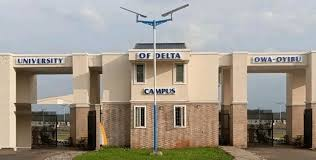
The management of the University of Delta (UNIDEL), Agbor has officially released the 1st Batch Merit Admission List for the 2026/2027 academic session. Candidates who participated in the recent Post-UTME screening exercise can now verify their admission status online via both the university’s portal layout and the JAMB Central Admissions Processing System (CAPS).
Admitted candidates are expected to accept their admission offers promptly to enable processing of their official JAMB admission letters and clearance documentation.
Step-by-Step Guide to Check UNIDEL Admission Status on JAMB CAPS
The official status update is pushed directly to the JAMB Central Admissions Processing System. Follow these steps to check and accept your offer:
Enter your registered email address and password to access your dashboard.
3.Open CAPS Dashboard:
Scroll down and click on “Check Admission Status”, select your examination year (2026), and click “Access my CAPS”.
4.Check Admission Status:
Click on “Admission Status” on the left menu bar to view your current status profile.
5.Accept or Reject Offer:
If offered admission, click “ACCEPT ADMISSION” to print your official JAMB admission letter. (Do not click reject unless you intend to decline the slot).
How to Check Status via UNIDEL Portal
Candidates can also confirm their status directly through the university portal:
Navigate to the Admissions / Student Portal section.
Input your JAMB Registration Number and Surname in the login fields.
Click Check Status to print your UNIDEL provisional admission notification.
Acceptance Fee & Clearance Advisory: Upon accepting your offer on JAMB CAPS, proceed immediately to the university portal to pay the non-refundable acceptance fee and generate your physical clearance credentials ahead of resumption.
Join DTW Tutorials
Join DTW Tutorials Groups on Facebook, Telegram, and WhatsApp for instant academic updates across Nigeria.



No Comments